
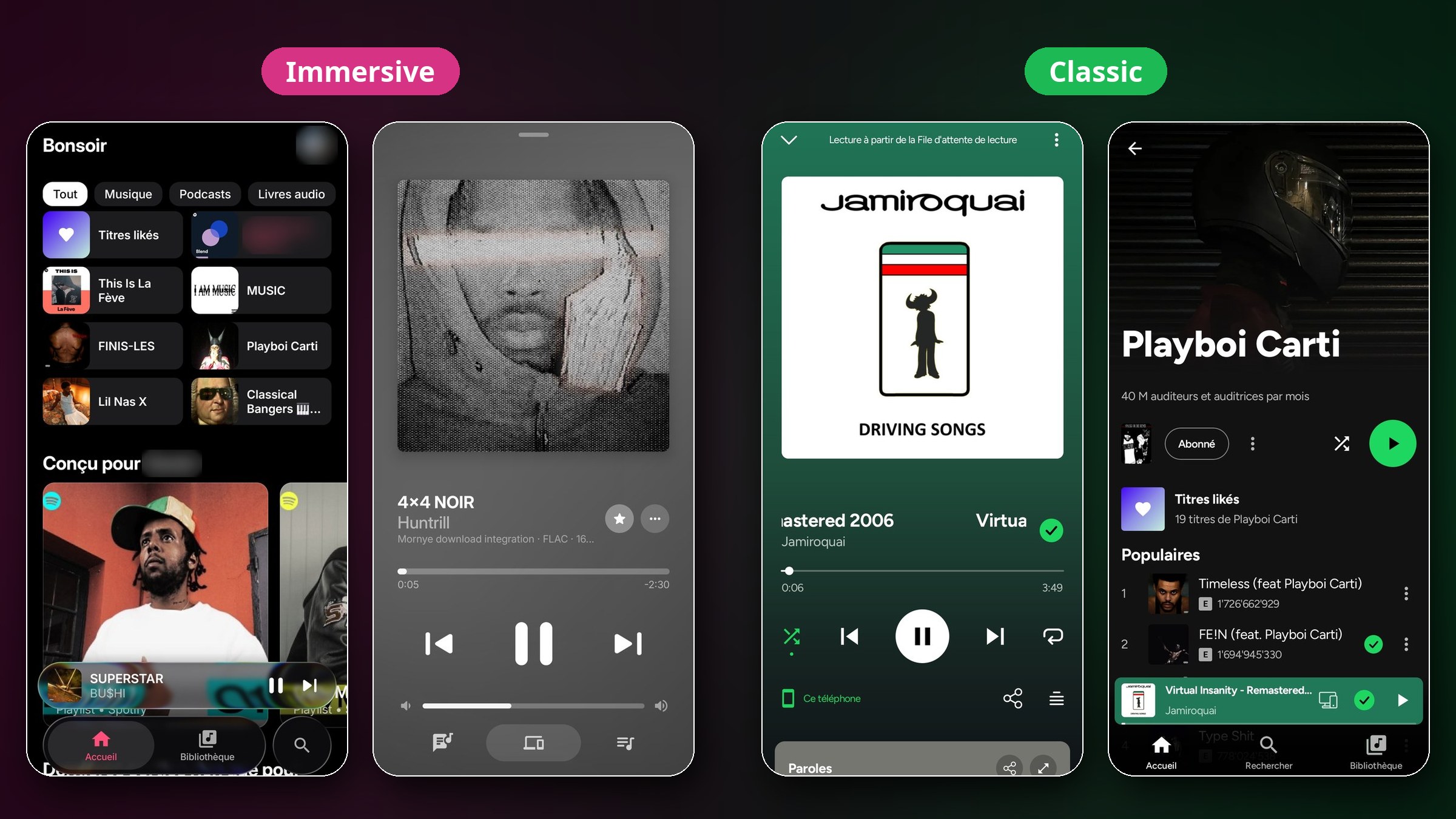
Orpheon (formerly Myspoti) is a free, open-source music player for Android, Android TV and Wear OS that works with your own Spotify account. It is a native app built with Jetpack Compose, with your playlists, library and Wrapped, plus word-by-word lyrics, song meanings from Genius and offline downloads through extensions you install yourself.
How does it work with Spotify?
You sign in on Spotify's own login page, so Orpheon never sees your password. The official Spotify Web Player plays the music, hidden inside the app, and Orpheon draws its own screens on top. Your plays are reported to Spotify just like in a browser, so they count for artists, your history and your Wrapped. A free Spotify account is enough to sign in.
Features
🎤 Word-by-Word Lyrics
Synced lyrics from several sources, with translation. Line by line or word by word.
💡 Song Meanings
Story of the song and line explanations from Genius, translated to your language.
⬇️ Offline Downloads
Through a download-source extension you install. Files stay encrypted in the app.
🎚️ 10-Band Equalizer
Presets, playback speed and skip silence for extension, downloaded and device songs.
👥 Collaborative Playlists
Invite friends with a link and see who added each song. Full playlist editing too.
🔀 Smart Shuffle & Queue
Drag to reorder, crossfade, sleep timer and a shuffle that plays every song once.
🎙️ Podcasts & Audiobooks
Their own player with speed, ±15 s skip and mark as played.
🚗 Connect & Android Auto
Spotify Connect, Jam, Bluetooth, lock screen, widget and Android Auto.
📻 Live Radio
Off by default. Turn it on to browse internet radio from the Radio Browser directory.
🎨 Two Looks
Immersive and Classic, plus AMOLED black, accent colour, data saver and battery saver.
Supported Devices
📱 Android
Android 10 or later. Phones and tablets.
📺 Android TV
Google TV too. Use the TV APK and the app opens its TV screens.
⌚ Wear OS
Listed by the developer as a supported target.
Which APK Should I Download?
| File | For |
|---|---|
ARMv8.apk Recommended | Almost every phone from the last 10 years (64-bit) |
ARMv7.apk | Older or entry-level 32-bit phones |
universal.apk | Both in one, larger file |
TV.apk | Android TV and Google TV |
Not sure which one your phone needs? Check with an app like CPU-Z or Device Info. If ARMv8 refuses to install, take ARMv7. Beta files are named Orpheon-Beta-<version>-....
How to Install
- Download the APK from the Orpheon releases page and open it. Android asks once to allow installs from your browser or file manager.
- Tap Log in with Spotify and sign in on Spotify's own page.
- Pick the sound quality, allow what you want (notifications, Bluetooth, local files...) and you are in.
New versions are offered inside the app: one tap downloads and installs them. You can also use Obtainium with the repo link. Setup details are in the README.
Coming from Myspoti? Orpheon is a new app that installs next to Myspoti 2.4 and earlier, because Android cannot install one over the other. Install Orpheon first, then uninstall Myspoti when you no longer need it.
Extensions
Orpheon has no download source of its own. Extensions are scripts written by other people that run in a sandbox. They can add lyrics from other sources, decide where a song's audio or download comes from, add Home sections and more. Before installing, the app shows exactly what an extension will do, and you install it on your own responsibility. See the extensions guide to get started.
Disclaimer: blocking ads goes against Spotify's Terms of Use and Spotify may suspend accounts that do it, so use this app at your own risk. If you can, support artists with Premium or by buying their music. Orpheon is not affiliated with or endorsed by Spotify.
Need help or want to report a bug? Join the Orpheon Discord or open an issue on GitHub. The app is free and made in the developer's spare time, so you can also support it on Ko-fi or GitHub Sponsors.